
For UK players, the Fitzdares app offers a convenient way to access casino games, manage an account and make deposits while on the move. Fitzdares is better known for its betting heritage, but its online casino gives registered customers access to slots, table games and live dealer entertainment through a mobile-friendly platform.
This guide explains how to log in and deposit at Fitzdares Casino, what to check before playing, and how the mobile experience compares with using the desktop website. It also looks at payment methods, account verification, safer gambling tools and the way special offers differ from welcome package deals.
Fitzdares App Review for UK Players
The Fitzdares app is designed around a straightforward account experience. Once the application is installed, players can sign in, browse available games, view promotions and manage payments without repeatedly opening a desktop browser. The layout is generally uncluttered, which is useful when accessing the casino from a smartphone with a smaller screen.
Availability can depend on the device, operating system and current Fitzdares product offering. UK customers should download the app only from an official source or use the verified Fitzdares website. Avoid unofficial download links, modified applications and pages that request unusual permissions or sensitive information.
What can you do in the app?
- Log in to an existing Fitzdares account.
- Browse casino categories and search for individual games.
- Make a deposit using an available payment method.
- Review account activity and promotional terms.
- Contact customer support.
- Set deposit limits and use responsible gambling controls.
How to Log In to Fitzdares Casino
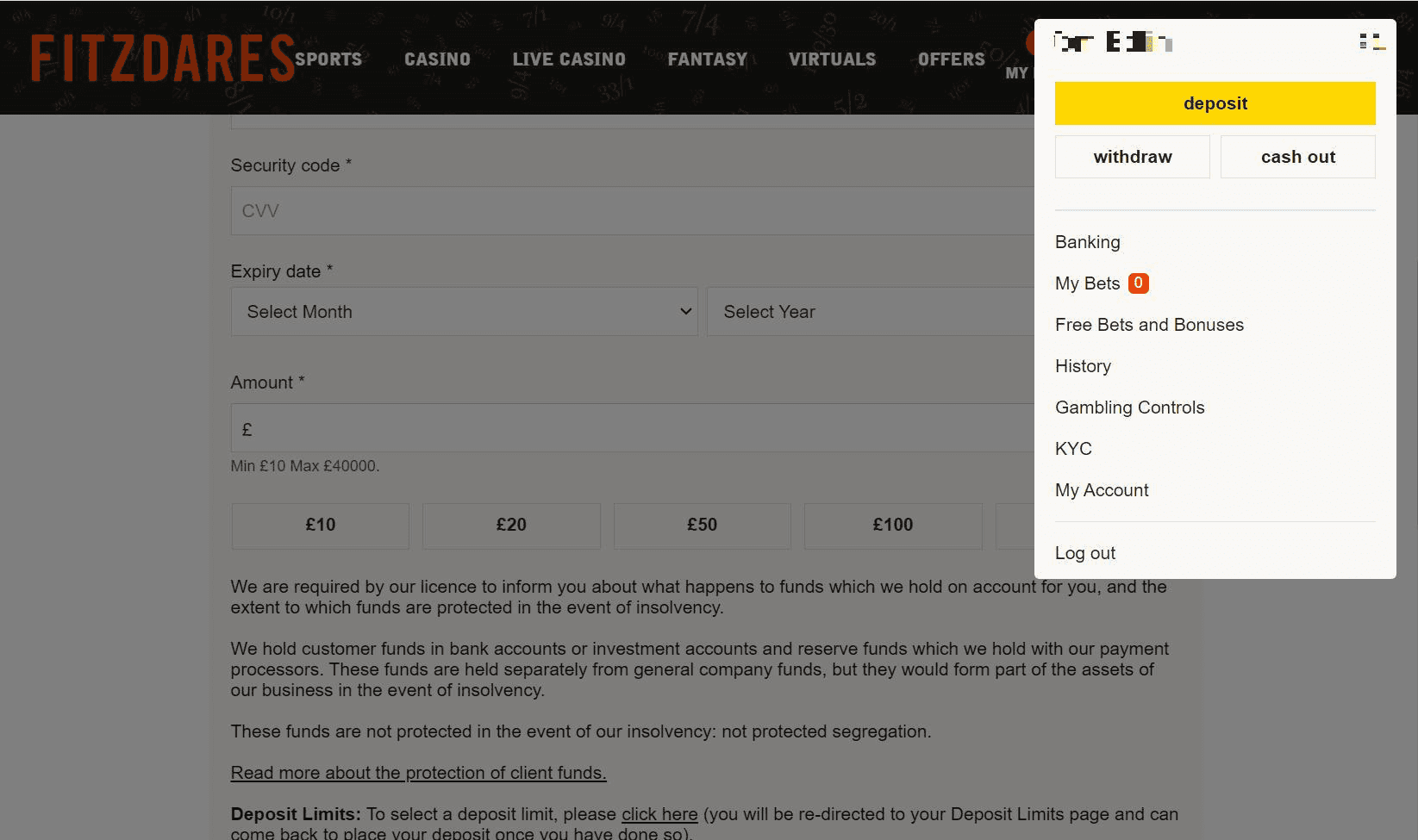
Logging in is normally quick if your account has already been registered and verified. Open the Fitzdares app and select the account or login option. Enter the email address, username or other requested identification details, followed by your password. Confirm the information and wait for the account dashboard to load.
Step-by-step login instructions
- Open the official Fitzdares app on your phone or tablet.
- Tap Log in or the account icon.
- Enter your registered email address or username.
- Type your password carefully.
- Complete any security check or two-factor authentication request.
- Open the casino section from the main navigation.
If the login fails, check whether the app needs updating and confirm that your internet connection is stable. Passwords are case-sensitive, so make sure that automatic capitalisation has not changed the first letter. If you still cannot access the account, use the password recovery option or contact Fitzdares support through an official channel.
Account verification
Fitzdares may ask for identity or address documents as part of its checks; This is normal for a regulated UK gambling service and helps meet age verification, anti-money-laundering and customer protection requirements. Commonly requested documents can include photo identification and proof of address.
Submit documents only through the secure account area or an official support process. Do not send sensitive information to an unverified social media account or a suspicious email address. Verification may be required before a withdrawal is processed, even if the first deposit was accepted immediately.
How to Deposit at Fitzdares Casino
After logging in, open the cashier, banking or deposit section. The exact button name may vary depending on the version of the app. Select Deposit, choose a payment method and enter the amount you want to add to your casino balance.
Deposit steps
- Sign in to the Fitzdares app.
- Open the cashier or banking menu.
- Select Deposit.
- Choose an available payment method.
- Enter the deposit amount.
- Review any minimum, maximum or fee information.
- Confirm the transaction with your bank or payment provider.
Depending on the payment method, the transaction may be completed inside the app or through a secure bank authentication page. Many UK customers may see options such as debit cards, bank-related services or supported digital payment solutions. The precise list, processing time and limits can change, so the cashier should be treated as the current source of information.
| Deposit factor | What to check |
|---|---|
| Availability | Whether the method is currently offered to your account and location |
| Minimum deposit | The smallest amount accepted by Fitzdares or the payment provider |
| Processing speed | Whether the balance is credited instantly or after a short delay |
| Fees | Potential charges from the casino, bank or payment service |
| Verification | Whether additional authentication or identity checks are required |
Choosing a Sensible Deposit Amount
Before confirming a payment, decide how much you can afford to lose rather than selecting an amount based on excitement or a promotional message. A deposit should be treated as entertainment spending, not as a way to generate income. If a session ends with losses, do not immediately add more money to recover them.
UK players should consider setting a deposit limit before playing. Fitzdares may provide account controls that allow customers to restrict daily, weekly or monthly deposits. A cooling-off period, time-out or self-exclusion option can also be useful if gambling stops feeling controlled.
Offers, Bonuses and Terms
Promotional conditions should be read before a player opts in or deposits. Check the minimum qualifying deposit, wagering requirements, game restrictions, maximum bonus value, expiry date and withdrawal conditions. A bonus can affect the way winnings are calculated and may not be available on every game.
It is also important to understand how special offers differ from welcome package deals. A welcome package is normally aimed at new customers and may be linked to the first deposit or initial gameplay. A special offer can be available to existing customers, selected account holders or players who meet a particular condition. The two terms are not automatically interchangeable, so read the individual promotion rules rather than relying on its headline.
Playing Casino Games in the Fitzdares App
Once the deposit appears in the account, return to the casino lobby and choose a title. The selection may include online slots, roulette, blackjack and live casino products, although availability can change. Tap a game to open its information page, where you may find the minimum stake, maximum stake, volatility, theoretical return-to-player figure and bonus eligibility.
Game results are determined by the relevant software and cannot be controlled through betting patterns. A strategy may help organise a budget in games such as blackjack, but it cannot guarantee a profit. In slots and roulette, previous outcomes do not make a future result more likely. Avoid claims that a game is “due” to pay.
Mobile play and performance
A reliable connection is important when using the app, particularly for live dealer games. If the connection drops, do not repeatedly press the play or confirm button. First check the account history and balance to see whether the transaction was recorded. Taking screenshots of unusual messages can help customer support investigate an issue.
Safety and Customer Support
A regulated UK operator should provide information about licensing, terms, privacy and safer gambling. Look for these details on the official Fitzdares platform rather than relying on third-party reviews. Strong account security also depends on the player: use a unique password, protect the phone with a passcode and never share login credentials.
For payment questions, failed deposits, verification requests or withdrawal concerns, use the support route displayed inside the official website or app. Give support the relevant transaction date and reference, but do not disclose your full password or security codes.
Frequently Asked Questions
Can I log in to Fitzdares from a mobile browser?
Yes, an official mobile website may also provide account access. The available features can differ from those in the app, so use whichever official option works best on your device.
Why has my deposit not appeared?
Check your bank or payment provider first, then review the Fitzdares transaction history. A delayed status can result from authentication, a provider outage or an account review. Contact support if the money has left your payment account but has not reached the casino balance.
Can I deposit with someone else’s card?
Third-party payment methods can create verification and withdrawal problems. Use a payment method registered in your own name and check the current Fitzdares terms before proceeding.
Is the Fitzdares app suitable for all UK players?
It may be convenient for eligible adults who want mobile access to betting and casino services, but gambling is not suitable for everyone. Customers should meet the legal age requirement, understand the risks and use available limits.
Final Verdict
The Fitzdares app provides a practical route for UK players who want to log in, deposit and access casino games from a mobile device. The essential process is simple: use the official application, sign in securely, open the cashier, select a supported payment method and confirm a deposit within a pre-set budget.
The best experience comes from checking transaction limits, completing verification early, understanding promotion terms and using safer gambling controls. Fitzdares should be viewed as an entertainment platform, not a source of guaranteed returns. Play only with money you can afford to lose, and stop if gambling no longer feels enjoyable or manageable.