
For Canadian players looking for a convenient way to access online casino games‚ the Cazeus casino promo code can be useful when registering‚ claiming a welcome offer‚ or checking current promotional conditions. The mobile experience is especially important because many players prefer using a smartphone rather than a desktop computer. This guide explains how to install and use the Cazeus Casino app on Android devices‚ what to check before downloading it‚ and how promotional offers may work.
Before beginning‚ visit https://cazeuspromocode.ca to review the latest information about the Cazeus casino promo code‚ eligibility requirements‚ and any available terms for players from Canada.
What the Cazeus Casino Android App Offers
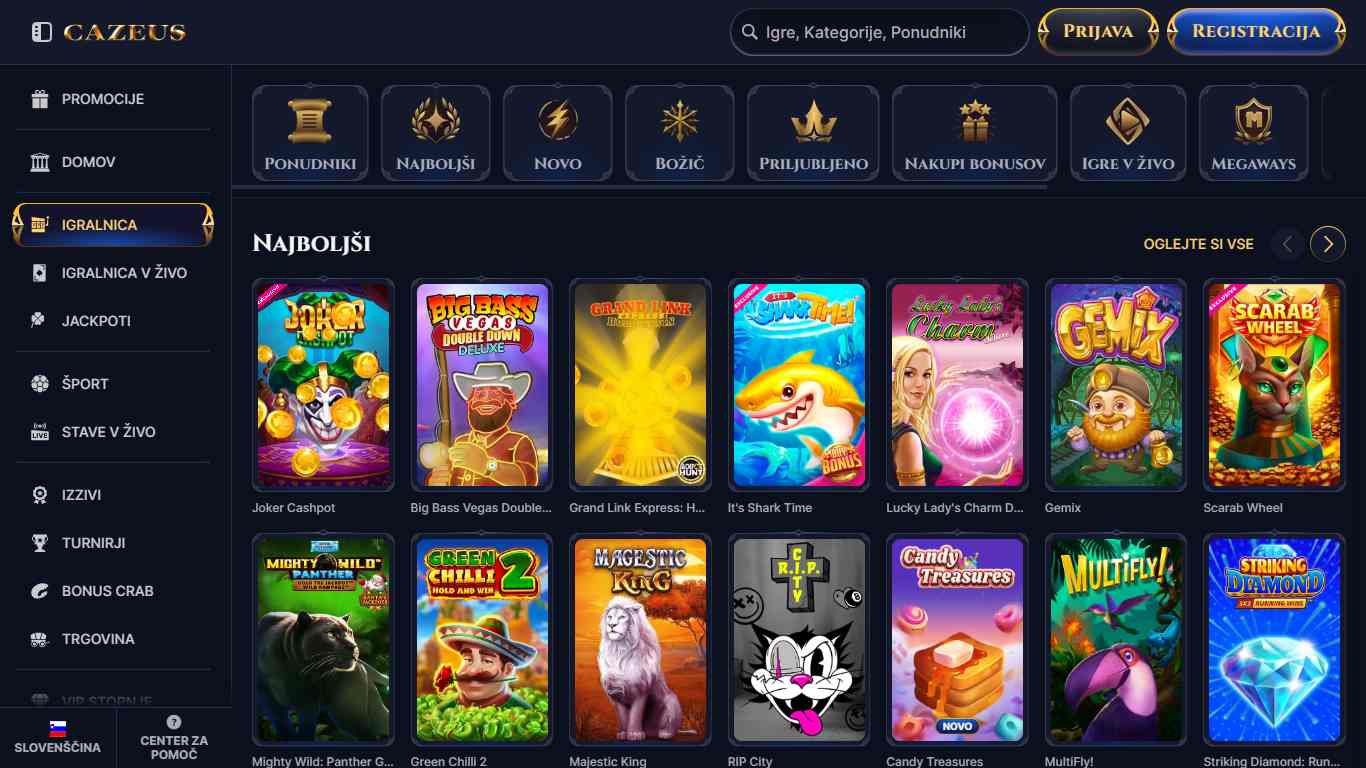
A dedicated Android application can provide a more direct route to a casino account. Instead of opening a browser each time‚ players can use an icon on their phone’s home screen. Depending on the current version and availability‚ the app or mobile platform may provide access to slots‚ live casino tables‚ jackpots‚ account management‚ deposits‚ withdrawals‚ and promotional pages.
The practical advantages are straightforward:
- Faster access to the casino lobby;
- A layout adapted to smaller screens.
- Convenient access to account and payment sections.
- Push notifications‚ if supported and enabled.
- Better mobility when using a stable Wi-Fi or mobile-data connection.
Game availability can vary according to location‚ account status‚ technical compatibility‚ and local restrictions. Canadian users should always check whether a particular game or payment method is available in their province.
Before Installing the Application
Android installation should begin with a few basic checks. Confirm that the device has a relatively recent version of Android‚ enough free storage‚ and a reliable internet connection. It is also wise to update the operating system and browser before proceeding. An outdated device may display installation errors or fail to load modern casino software correctly.
Check the Official Download Route
Only download the application from an official Cazeus source or a clearly verified page connected with the casino. Avoid files distributed through unknown forums‚ advertisements‚ shortened links‚ or private messages. An unofficial APK may contain altered software‚ malware‚ or a fake login screen designed to collect personal information.
If the official platform provides a browser-based mobile version rather than an APK‚ this may be the safer and simpler option. Open the official website in Chrome or another trusted browser‚ sign in‚ and follow the instructions shown for Android users.
Review the Promotional Conditions
Players interested in the Cazeus casino promo code should read the promotion’s rules before creating an account or making a deposit. A code may apply only to new customers‚ selected games‚ a minimum deposit‚ or a particular payment method. Other conditions can include wagering requirements‚ a maximum bonus amount‚ a maximum qualifying deposit‚ and an expiry period.
Promotions are not guaranteed to be available in every Canadian jurisdiction. The registration page and the full bonus terms should be treated as the final source of information at the time of signup.
How to Install Cazeus Casino on Android
Option One: Install from an Official APK
- Open the official Cazeus Casino website using your Android browser.
- Locate the mobile app or Android download section.
- Read the displayed installation instructions and verify that the domain is correct.
- Download the APK file only from the official source.
- Open the downloaded file from the browser’s download menu or the device’s file manager.
- If Android blocks the installation‚ open the relevant security settings and allow installation from this trusted source temporarily.
- Return to the APK file and select Install.
- Wait until the installation is complete‚ then open the application.
- Log in with an existing account or select the registration option.
Android may use slightly different names for security settings depending on the manufacturer and operating-system version. On many devices‚ permission is granted specifically to the browser or file manager that opened the APK. It is best to disable this permission again after the installation if it is no longer needed.
Option Two: Add the Mobile Website to the Home Screen
Some casino platforms do not require a traditional app. Instead‚ they provide a mobile-optimised website or progressive web application. To use this option‚ open the official Cazeus Casino website in Chrome‚ sign in‚ tap the browser menu‚ and choose Add to Home screen or Install app‚ if available.
This method does not install an APK. It creates a convenient shortcut and may reduce security risks associated with downloading application files from outside the Google Play Store. The available functions should still be checked because browser-based platforms can differ from full applications.
Creating an Account and Using a Promo Code
After opening the app‚ select Register if you do not already have an account. Enter accurate personal details‚ choose a strong password‚ and use an email address that you can access. Incorrect information can create difficulties during identity verification or withdrawal processing.
If there is a promotional field during registration‚ enter the Cazeus casino promo code carefully. Codes are often case-sensitive or subject to specific formatting. Do not add spaces before or after the code. If no promotional field appears‚ check the cashier‚ bonus section‚ or account area. Avoid entering the same code repeatedly if the system has already accepted it.
After registration‚ the casino may request identity documents. This is a standard part of know-your-customer procedures. Documents should be uploaded only through the secure account area‚ never sent to an unverified email address or third party.
Security and Responsible Use
A legitimate installation is only one part of online safety. Use a unique password that is not shared with other services‚ enable two-factor authentication when offered‚ and avoid logging in through public or unsecured Wi-Fi networks. Keep Android and security software updated‚ and never permit remote access to your device for an unknown person claiming to represent the casino.
Check the app’s permissions before accepting them. A casino application generally should not need access to unrelated functions such as contacts or private messages. If the requested permissions seem excessive‚ stop the installation and verify the source with official support.
Online gambling should remain an entertainment activity. Set a budget before playing‚ use deposit or session limits where available‚ and do not chase losses. A promotional code does not change the probability of winning and should never be treated as guaranteed profit.
Games and Mobile Performance
Android phones can handle many modern casino games‚ but performance depends on the device‚ connection quality‚ and game provider. Slots usually load quickly‚ while live dealer games require greater bandwidth because they stream video and audio. If a game freezes‚ close other applications‚ switch between Wi-Fi and mobile data‚ or restart the app.
Players should also check whether games run in portrait or landscape mode. Landscape orientation may be more comfortable for live casino tables‚ while portrait mode is often convenient for slot play. Sound and vibration settings can be adjusted through the device or within the app‚ depending on the software design.
Common Installation Questions
Why will the APK not install?
The file may be incomplete‚ incompatible with the Android version‚ or blocked by a security setting. Delete the file‚ return to the official download page‚ and try again. Do not obtain a replacement file from an unofficial source.
Can I use the same account on Android and desktop?
Usually‚ an account can be accessed from different supported devices. However‚ the available games‚ promotions‚ and payment options may vary by platform or location. Use the same verified credentials and follow the casino’s account rules.
Where should I enter the promo code?
The code may be entered during registration or through a bonus section after login. If the field is missing‚ contact official support before depositing. A code normally cannot be added retroactively once a qualifying transaction has been completed.
Can I withdraw through the Android app?
Many mobile platforms include cashier functions‚ but withdrawal availability depends on the casino‚ payment provider‚ verification status‚ and Canadian location. Review processing times‚ fees‚ and minimum amounts before confirming a request.
Final Assessment
Installing Cazeus Casino on an Android device can make mobile gaming more convenient‚ provided that the application is obtained from an official source and the device meets the technical requirements. The safest approach is to verify the website‚ review the terms of the Cazeus casino promo code‚ protect account credentials‚ and use only approved payment and verification channels.
For Canadian players‚ the key considerations are local availability‚ responsible budgeting‚ and careful reading of promotional rules; Whether using an official APK or adding the mobile website to the home screen‚ a cautious setup provides a smoother and more secure way to access the casino from an Android phone.